AI Invoice Generator
Describe the invoice you need in plain English. Genspark's AI creates a professional, itemized invoice with automatic tax calculations — ready to download as PDF in seconds.
Every Invoice Type, One AI
From simple freelance bills to complex international trade documents, Genspark generates any invoice format — with the right fields, calculations, and professional formatting built in.
Create a Professional Invoice in 3 Steps
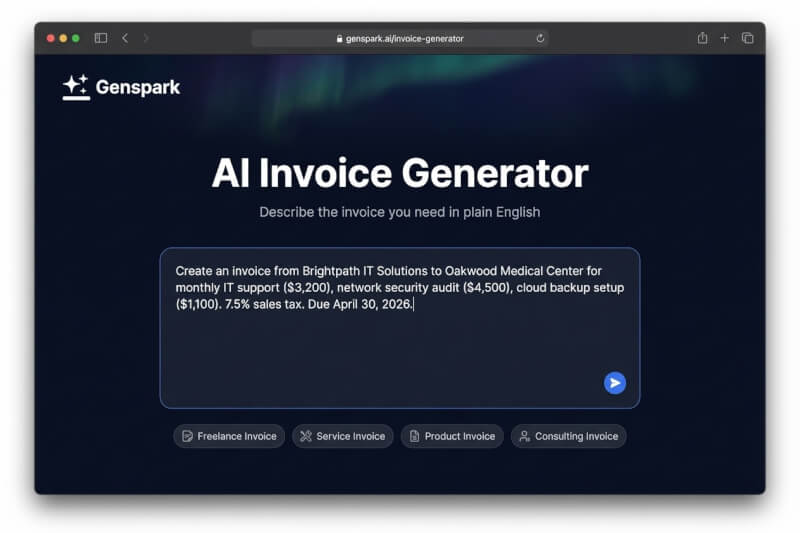
Describe Your Invoice
Tell the AI what you need — who it's from, who it's to, what services or products, and your payment terms. Use plain English, paste your notes, or upload a reference file.
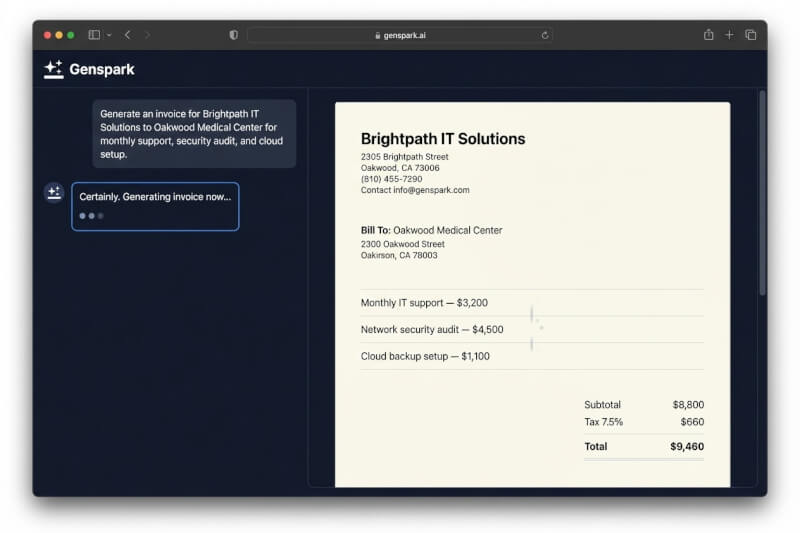
AI Generates Your Invoice
Genspark's AI structures your description into a professionally formatted invoice with itemized line items, automatic tax and discount calculations, subtotals, and totals — all in seconds.
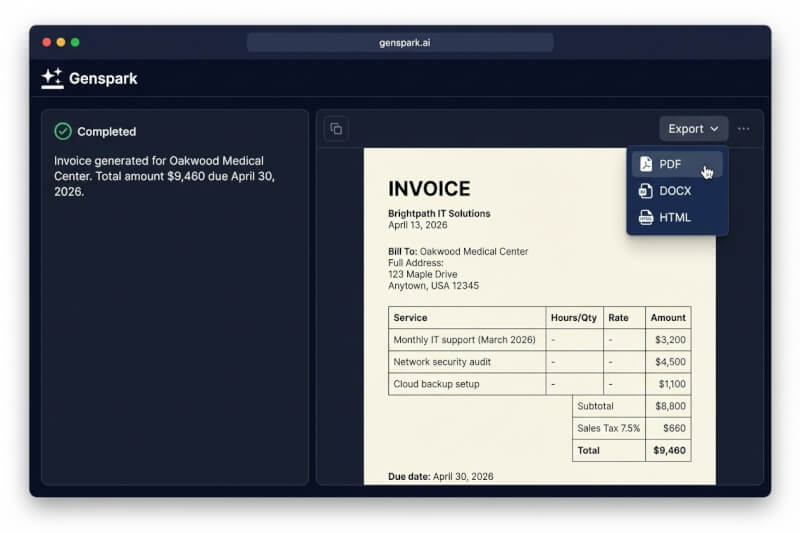
Download and Send
Review the generated invoice, make any edits, then export as PDF, DOCX, or HTML. Your invoice is ready to send to clients immediately.
Why AI Beats Manual Invoice Builders
Traditional invoice generators make you fill out every field by hand. Genspark understands your description and does the work for you.
| Manual Invoice Tools | Genspark AI | |
|---|---|---|
| Input method | Fill 15+ form fields one by one | Describe in plain English — AI fills every field |
| Tax calculation | Enter tax rate manually, hope the math is right | AI calculates tax, discounts, and totals automatically |
| Time to first invoice | 5-10 minutes of form filling | Under 30 seconds from description to document |
| Export formats | Usually PDF only | PDF, DOCX, and HTML |
| Languages | English only (most tools) | 19 languages supported |
| Customization | Limited to template options | AI adapts format, tone, and structure to your needs |
| Recurring invoices | Often a paid feature | Describe your recurring setup once, regenerate anytime |
Built for Every Business
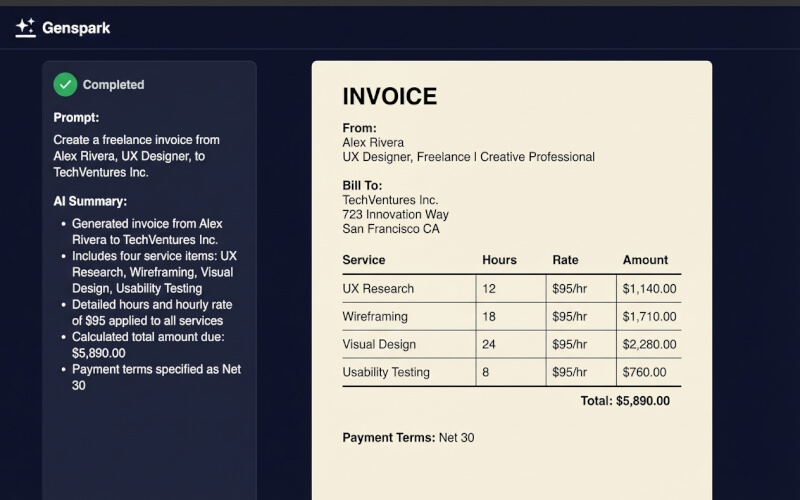
Freelancers and Independent Contractors
Freelancers juggle multiple clients, hourly rates, and project milestones. Instead of maintaining invoice templates in spreadsheets, describe your completed work and let the AI handle formatting, calculations, and professional presentation.
Invoice from Alex Rivera, UX Designer, to Northwind Traders for: User research phase (32 hours at $125/hr), wireframe deliverables (flat fee $3,000), usability testing report ($1,500). Apply no tax (exempt). Payment: Net 30, PayPal to [email protected].
Small Business Owners
Running a small business means invoicing is just one of dozens of tasks competing for your time. Genspark generates invoices from quick descriptions — no accounting degree required. Automatic line-item math, tax calculations, and professional formatting every time.
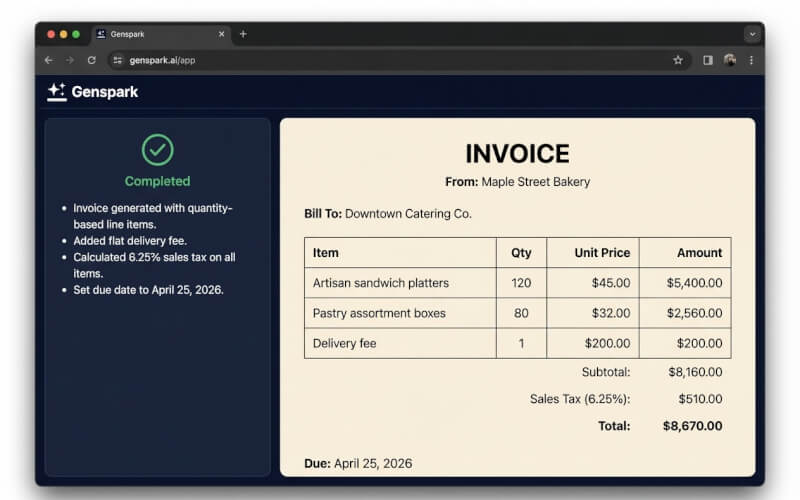
Create an invoice from Maple Street Bakery to Downtown Catering Co. for: 120x Artisan sandwich platters at $45 each, 80x Pastry assortment boxes at $32 each, delivery fee $200. Sales tax 6.25%. Due: April 25, 2026.
Consultants and Agencies
Consulting engagements often combine day rates, milestone payments, and expense reimbursements on a single invoice. Describe the full scope and the AI structures it correctly — including split payment terms and itemized expenses.
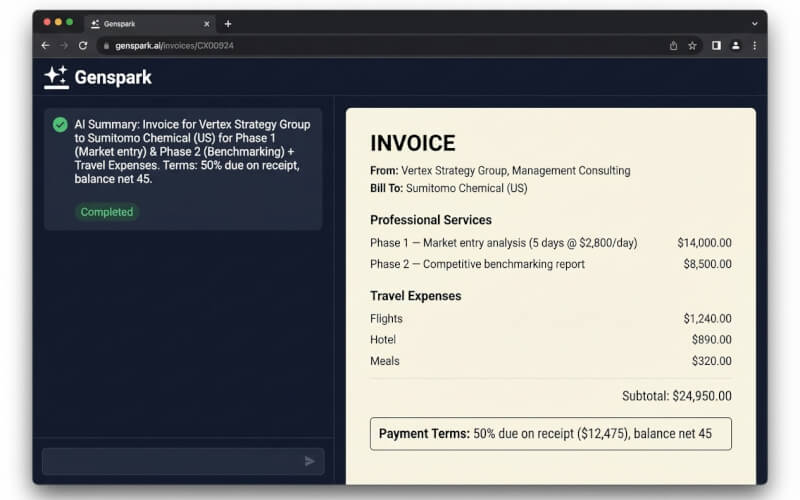
Invoice from Vertex Strategy Group to Sumitomo Chemical (US) for: Phase 1 — Market entry analysis (5 days at $2,800/day), Phase 2 — Competitive benchmarking report (flat $8,500), Travel expenses: flights $1,240, hotel $890, meals $320. 50% due on receipt, balance net 45.
E-Commerce and Product Sellers
Product invoices involve quantities, unit prices, discounts, shipping, and tax — lots of math. Describe your order and the AI builds a correctly calculated invoice with all line items, bulk discounts, and shipping charges.
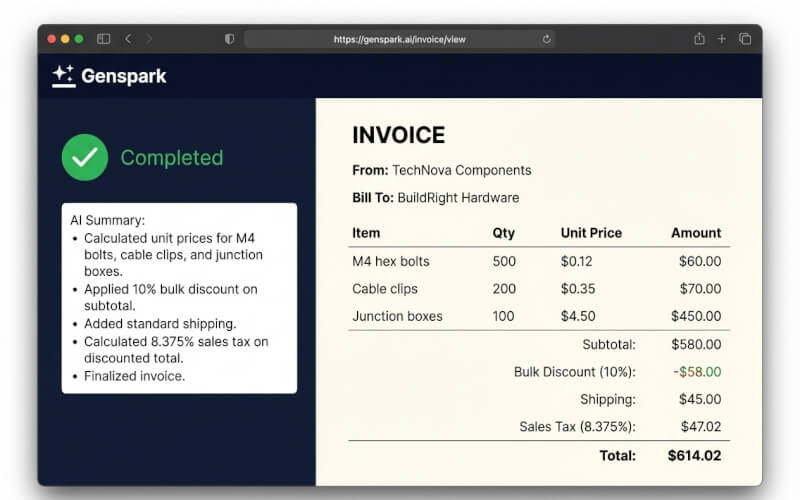
Generate a product invoice from TechNova Components to BuildRight Hardware for: 500x M4 hex bolts at $0.12 each, 200x Cable clips at $0.35 each, 100x Junction boxes at $4.50 each. 10% bulk discount on subtotal. Shipping $45. Tax 8.375%.
Frequently Asked Questions
What is an AI invoice generator?
An AI invoice generator is a tool that creates professional invoices from natural language descriptions. Instead of filling out form fields one by one — company name, client name, line items, tax rates — you describe what you need in plain English, and the AI structures it into a properly formatted invoice with correct calculations. Genspark's AI invoice generator goes further by supporting multiple invoice types (standard, proforma, commercial, credit notes), automatic tax and discount math, and export to PDF, DOCX, or HTML.
How does Genspark's AI invoice generator work?
You type a description of the invoice you need — who it's from, who it's to, what products or services were delivered, payment terms, and any tax or discount information. Genspark's AI parses your description, identifies the structured data (company details, line items, rates, quantities), calculates all totals, and generates a professionally formatted invoice document. You can then review, edit, and export it in your preferred format.
Is the AI invoice generator free to use?
Sign up for free — no credit card required. Free accounts receive 100 credits every day, which is enough to generate multiple invoices and explore other Genspark AI tools. Document generation costs vary by complexity, but a standard invoice typically uses a small number of credits. Upgrade for higher daily limits.
What formats can I export my invoice in?
Genspark supports exporting generated invoices as PDF (for sending to clients and printing), DOCX (for editing in Microsoft Word or Google Docs), and HTML (for embedding in emails or web pages). PDF is the most common format for professional invoices.
Can the AI calculate taxes and discounts automatically?
Yes. When you include tax rates or discount information in your description (e.g., 'apply 8% sales tax' or '10% bulk discount'), the AI automatically calculates the correct amounts for each line item and the invoice total. It handles percentage-based and flat-rate discounts, multiple tax rates, and compound calculations like discount-before-tax.
What types of invoices can I create?
Genspark can generate virtually any invoice type: standard invoices for goods and services, freelance invoices with hourly or project-based billing, proforma invoices for estimates and pre-shipment approval, recurring invoices for subscriptions and retainers, commercial invoices for international trade (with HS codes and Incoterms), and credit notes for refunds and adjustments. Describe what you need, and the AI adapts the format accordingly.
Can I include my company logo and branding?
The AI generates the invoice content and structure. Once generated, you can customize the document with your company logo, brand colors, and preferred formatting in the document editor before exporting. For recurring invoices, you can save your branding preferences and reuse them.
Is the AI invoice generator suitable for international invoices?
Yes. Genspark supports 19 languages and can generate invoices with international formatting — different date formats, currency symbols, tax terminology (VAT, GST, sales tax), and trade-specific fields like HS codes, country of origin, and Incoterms for commercial invoices. Simply specify the currency and any regional requirements in your description.
How accurate are the AI-generated calculations?
The AI performs precise arithmetic on all line items, quantities, rates, discounts, and taxes. It cross-checks subtotals and totals for consistency. That said, we always recommend reviewing the generated invoice before sending it to a client — especially for complex invoices with multiple discount tiers or compound tax calculations.
Can I edit the invoice after it's generated?
Absolutely. After the AI generates your invoice, it opens in Genspark's document editor where you can modify any field — line items, amounts, company details, notes, payment terms. You can also ask the AI to make changes conversationally, like 'add a 5% early payment discount' or 'change the due date to May 15.'
What's the difference between Genspark and other invoice generators?
Most online invoice generators are manual form builders — you fill in every field yourself, and the tool just formats it. Genspark is different: you describe the invoice in natural language, and the AI creates the entire document. This means faster creation (under 30 seconds vs. 5-10 minutes), fewer errors (AI handles the math), and more flexibility (complex invoices that would require custom templates elsewhere can be described in plain text here).
Do I need to create an account to generate an invoice?
You can start typing your invoice description immediately on this page. When you click generate, you'll be prompted to sign up (free, no credit card required) to process the request. The signup takes seconds, and your free daily credits are ready so you can generate your invoice right away.
Stop Filling Out Forms. Start Describing Invoices.
Join thousands of professionals who create invoices in seconds with AI. Free to start — no credit card required.